Es
Es  Fr
Fr  Pt
Pt  En
En 

nanoCAD Platform Help
-
-
-
-
-
-
-
-
-
-
-
-
-
-
-
-
-
-
-
-
-
-
-
-
-
-
-
-
-
-
-
-
-
-
-
-
Modifying a Description Key Set
-
-
-
-
-
-
-
-
-
-
-
-
-
-
-
-
-
-
-
-
-
Modifying a Description Key Set
 Command line: __aec_modify_desckeyset
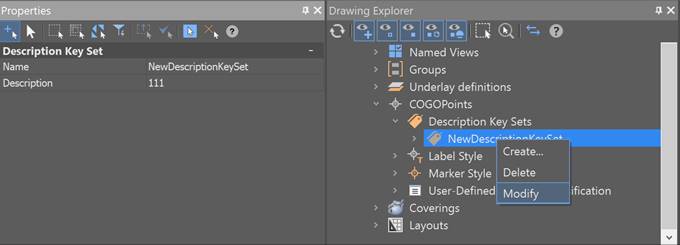
You can view and edit a description key set by selecting Modify in the context menu of the Drawing Settings – COGOPoints – Name of Description Key Set in the Drawing Explorer. Next, in the Properties bar, specify the set name and description.